
HubSpot Power BI Integration
The HubSpot Power BI connector built by data engineers — connect HubSpot CRM to Power BI (Microsoft Fabric) in 5 minutes, with real-time data synchronization and a free forever plan.
Say goodbye to manual data exports and outdated reports—welcome to a new era of real-time analytics and decision-making.
BUILD WITH BEST PRACTICES FROM MOST INNOVATIVE COMPANIES





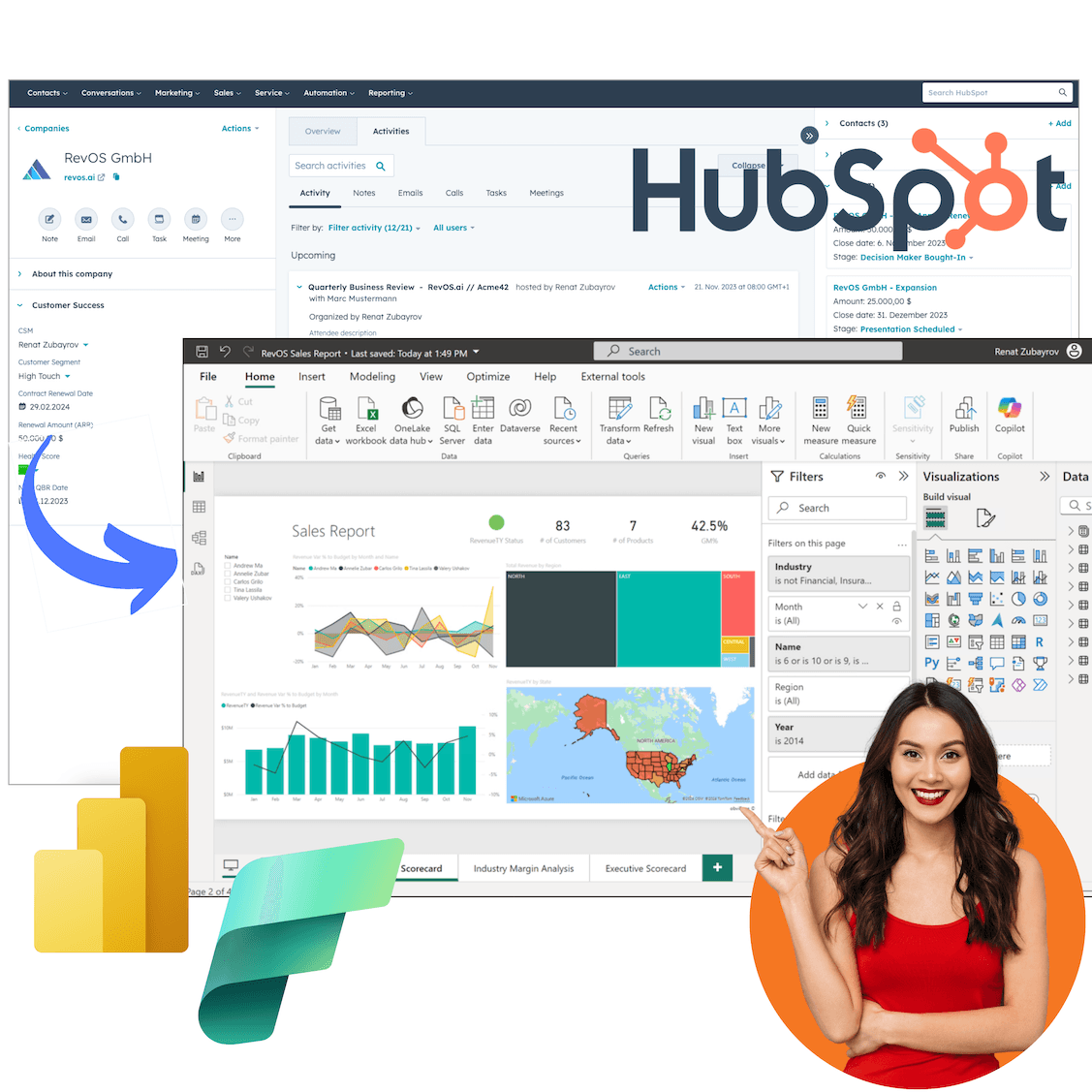
Are you looking to maximize the value of your HubSpot CRM data? Our seamless integration with Power BI (aka Microsoft Fabric) allows you to transform your HubSpot data into actionable insights that drive business growth.
With our HubSpot to Power BI integration, you can effortlessly connect, visualize, and analyze your CRM data in ways that were previously impossible. Whether you're tracking sales performance, monitoring marketing campaigns, or gaining a holistic view of customer interactions, our solution empowers you to make data-driven decisions faster and more efficiently.
Real-Time Data Synchronization
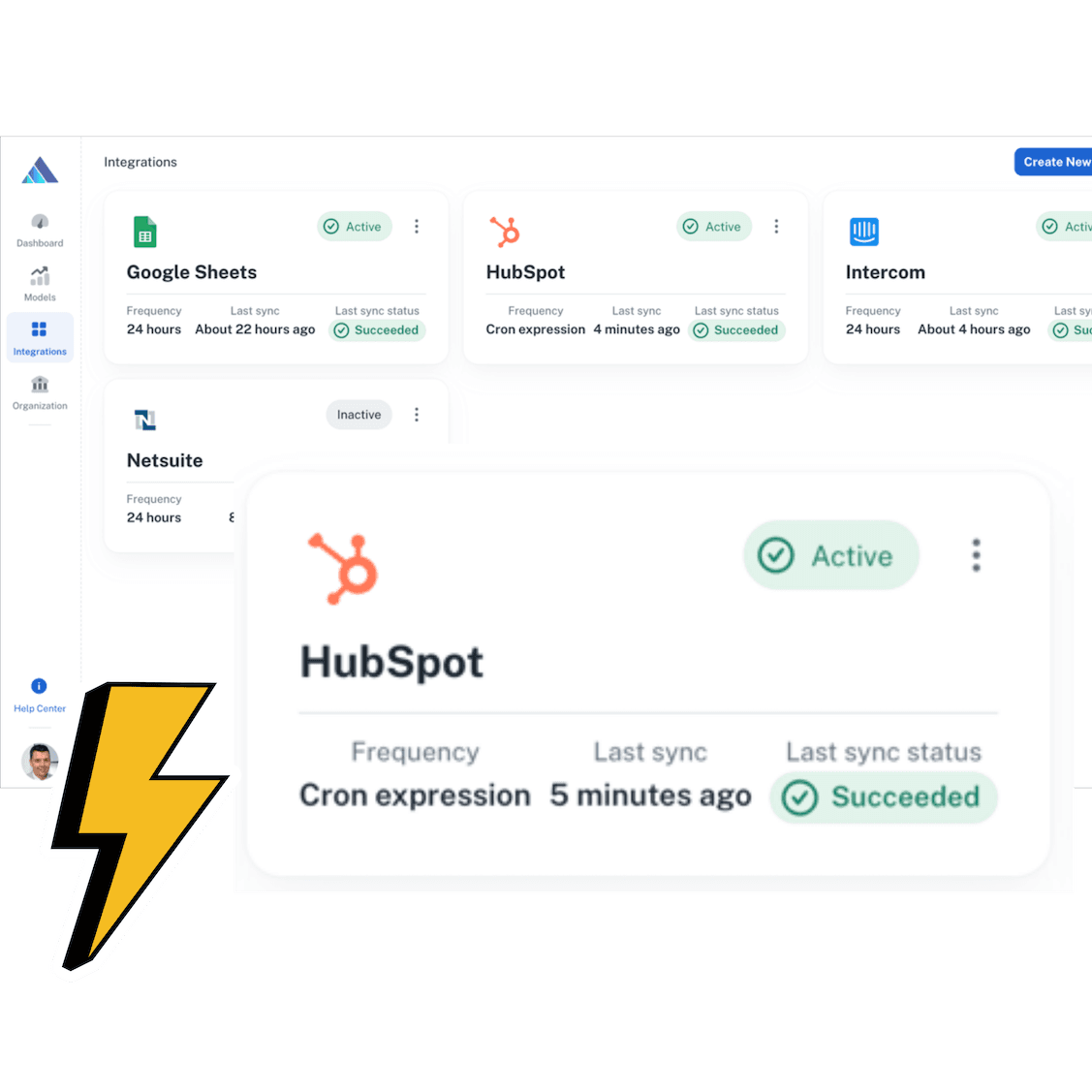
- Automatic Refresh Schedules: Your data is kept up-to-date with automatic refreshes, customizable to run as frequently as every 15 minutes. This ensures your reports and dashboards always reflect the latest HubSpot activities and insights.
- Eliminate Data Staleness: By syncing data almost in real-time, you eliminate the lag often associated with manual data exports or batch processing. Your team can make decisions based on the most current data available, boosting accuracy and responsiveness.
- Seamless Data Flow: The integration directly connects HubSpot with Power BI, ensuring that data flows smoothly between the two platforms without manual intervention, reducing the risk of errors.
Complete Data Access
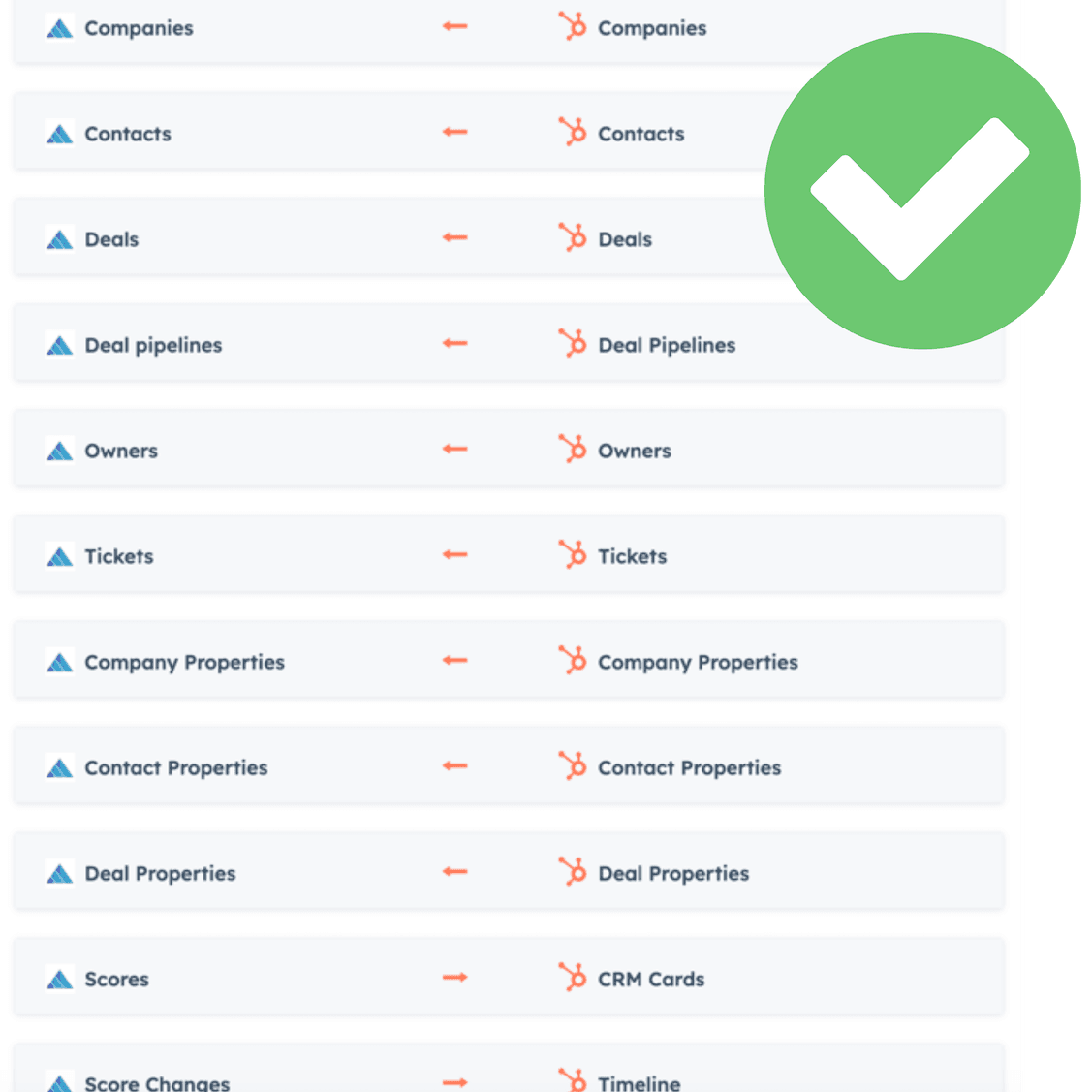
- Wide Range of Data Entities: Access and analyze all critical HubSpot data—Contacts, Deals, Companies, and more—to get a full picture of your operations.
- Customizable Data Imports: Tailor your data imports by applying filters and selecting specific data ranges to focus on what matters most.
- Cross-Module Analytics: Combine data across HubSpot modules for deep, integrated insights that span your entire business.
No-Code Setup
- User-Friendly Interface: Connect HubSpot to Power BI in just 5 minutes without any coding. The straightforward, guided setup makes it accessible for all users, regardless of technical expertise.
- Quick Implementation: Begin analyzing your data within minutes, allowing you to focus on insights rather than complex setups or configurations.
- Easy Customization: Tailor your data connections and visualizations effortlessly, ensuring that the integration fits seamlessly with your business processes and needs.
Enhanced Security and Compliance
- Compliance with Data Protection Laws: Meet GDPR and other regulatory requirements with a solution designed to protect your customer data.
- Data Encryption and Protection: Safeguard your data with encryption at every stage of the integration process, ensuring that your information remains secure.
Customizable Reporting
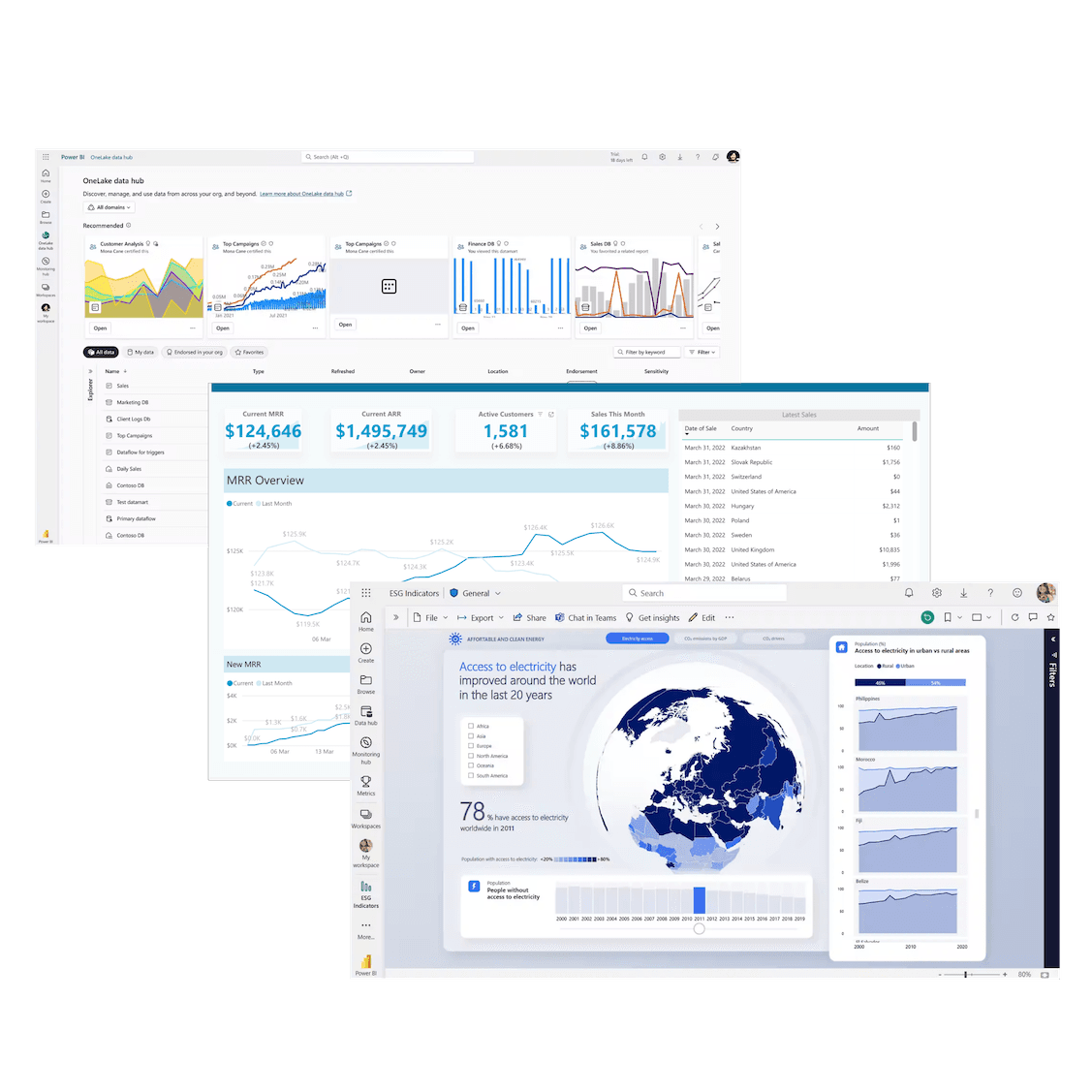
- Greater Flexibility and Control: Go beyond the limitations of HubSpot's built-in reporting tools. With Power BI, you gain the ability to create highly customized reports that cater to your specific business needs, whether it's detailed sales funnels, customer behavior analysis, or custom KPIs.
- Report on Data from 120+ Sources: Integrate HubSpot data with over 120 other data sources, including Google Analytics, Salesforce, Facebook Ads, and more. This capability allows you to create comprehensive, multi-channel reports that offer a 360-degree view of your business operations and performance.
- Tailored Visualizations: Power BI's advanced visualization tools enable you to craft reports that not only provide deep insights but also align with your brand's aesthetic. Customize every aspect of your dashboards—from colors and layouts to data filters and calculated fields—to create reports that truly reflect your business.
The HubSpot Power BI Connector
The RevOS HubSpot Power BI connector is a native, no-code integration that streams your HubSpot CRM data into Power BI (Microsoft Fabric) via a managed data warehouse. Unlike CSV exports or one-off API scripts, the connector keeps Power BI dashboards in sync with HubSpot automatically, securely, and at scale.
- 45+ HubSpot objects supported — Contacts, Companies, Deals, Tickets, Engagements, Marketing Emails, Workflows, Goals, Line Items, Web Analytics, and more.
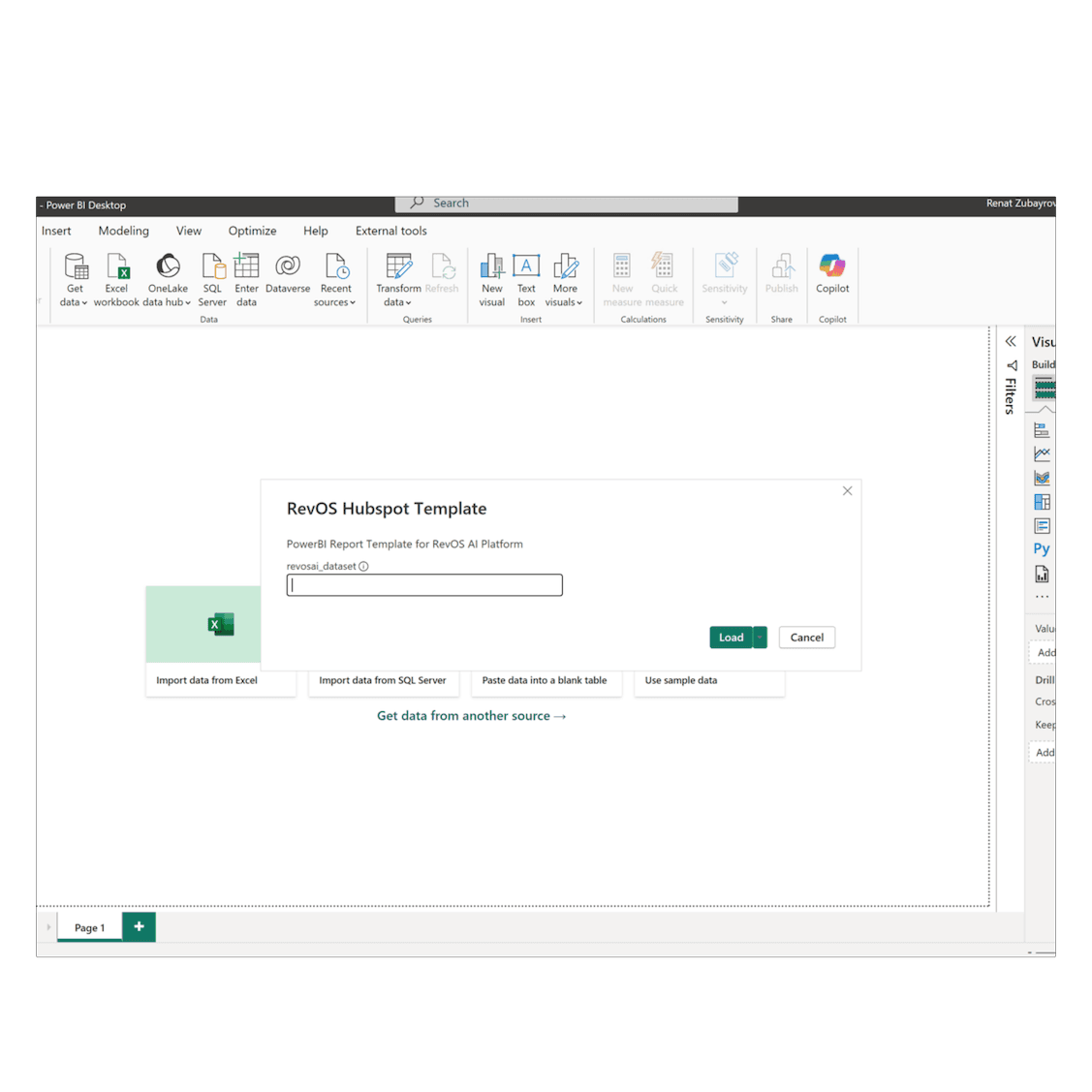
- Native Power BI experience — connect through Power Query with a single endpoint. Works in Power BI Desktop, Power BI Service, and Microsoft Fabric.
- Built on the HubSpot API — no rate-limit headaches, no maintenance, no custom code.
- Startup plan — 1 GB of storage and 24-hour refresh; upgrade to 15-minute sync on higher plans.
How to Connect HubSpot to Power BI in 5 Minutes
Follow these five steps to connect HubSpot to Power BI using the RevOS HubSpot Power BI connector. No code, no IT ticket — most teams are querying HubSpot data in Power BI within five minutes of installing the app.
- Install the RevOS HubSpot app from the HubSpot Marketplace. This authorizes secure read-only access to your HubSpot data.
- Book a demo and get your RevOS workspace at try.revos.ai. The team sets it up with you, and every new account starts with a 14-day trial of the Growth plan.
- Select the HubSpot objects you want to sync — Contacts, Companies, Deals, Tickets, and more. RevOS pulls them into a managed BigQuery data warehouse.
- Connect Power BI to your RevOS warehouseusing Power BI's native connector. Authenticate once and the connection is ready for all your reports.
- Build your first Power BI dashboard on HubSpot data. Drag-and-drop HubSpot fields into Power BI. Refresh as often as every 15 minutes for near-real-time insights.
Frequently asked questions
- RevOS syncs your HubSpot data to a centralized data warehouse, where it is combined and enriched with additional data sources and models. This data is then exposed as a comprehensive semantic model that can be easily accessed and visualized in PowerBI. With this integration, you can create detailed reports, dashboards, and insights by blending HubSpot data with other critical business information, giving you a holistic view of your customer interactions, sales pipeline, and overall performance. This seamless connection allows for advanced data analysis and decision-making directly in PowerBI.
RevOS enhances the functionality of HubSpot by collecting data from various sources such as customer interactions, usage metrics, and demographics, along with custom data sources defined within RevOS itself. This data is then synchronized with HubSpot to create a comprehensive 360-degree view of each customer, including detailed health scores.
Once the health score is calculated, the data is synced back to HubSpot and becomes visible as a custom CRM Card and custom timeline events for customer health score changes. These integrations enable the triggering of specific workflows, automations, and playbooks. This seamless connection saves time for Customer Success Managers (CSMs) and significantly boosts their productivity by providing deeper insights and more efficient management tools.
We support all versions and editions of HubSpot CRM from Free Tools & CRM, all professional hubs (Marketing, Sales, Service and CSM) as well as Enterprise versions. Your mileage may however warry if you would like to trigger automations, workflows, sequences or playbooks based on the customer events. Just reach out to us we can advice you on the featuresets and plans.
The PowerBI to HubSpot integration is included on every RevOS plan, starting with Startup at €299/month — daily sync schedule and up to 1GB of Storage (compressed & encrypted data). This is sufficient for even larger HubSpot installation, so that for example HubSpot Org with ~200k companies and contacts records typically use around 300MB of storage. You can also increase synchornization frequency to up every 15 minutes with add-ons and pricing plans. Our pricing you can see on our pricing page.
Yes — every new account starts with a complimentary 14-day trial of our Growth plan. Book a demo and we'll get your HubSpot data flowing into Power BI with you.
Very secure, we employ security measures such as encryption, access controls, and regular security testing to protect your data. We are currently in the process to acquire industry standard SOC 2 Type I and Type II certifications. To earn your trust, we make it a point to transparently share our security and compliance program with you, please see it on our security page.
In your PowerBI report you will be able to access 45 HubSpot objects. Such as Campaigns, Companies, Contact Lists, Contacts, Contacts List Memberships, Contacts Form Submissions, Contacts Merged Audit, Deal Pipelines, Deals, Deals Archived, Email Events, Email Subscriptions, Engagements, Engagements Calls, Engagements Emails, Engagements Meetings, Engagements Notes, Engagements Tasks, Forms, Form Submissions, Goals, Line Items, Marketing Emails, Owners, Owners Archived, Products, Contacts Property History, Companies Property History, Deals Property History, Subscription Changes, Tickets, Ticket Pipelines, Workflows, ContactsWebAnalytics, CompaniesWebAnalytics, DealsWebAnalytics, TicketsWebAnalytics, EngagementsCallsWebAnalytics, EngagementsEmailsWebAnalytics, EngagementsMeetingsWebAnalytics, EngagementsNotesWebAnalytics, EngagementsTasksWebAnalytics, GoalsWebAnalytics, LineItemsWebAnalytics and ProductsWebAnalytics.
We continiously improve and update our connectors so this list might be outdated.
Default data refresh frequency of your HubSpot data is every 24 hours on the Startup planhowever you can change it to as low as 15 minutes to get close to realtime data access and aggregations on the higher pricing plans.
Absolutely!. Our team is dedicated to supporting and advising on the custom reporting and additional data integration. We work closely with you to ensure that your Data and BI setup is tailored to meet your specific needs, enabling the best possible sales and customer success experience within your HubSpot environment.
Ready to elevate your HubSpot CRM data with Power BI?
Install the app or book a demo to learn how our integration can transform your business insights.